 Remate
Every deuce rule
Advantage, golden point, silver point or star point. At 40–40 a yellow band tells you when the next point is the deciding one.
Padel score app for Garmin watches · free 7-day trial
One press per point: UP when your side wins it, DOWN when theirs does — or a swipe up or down on watches without those buttons. Remate does the counting — 15, 30, 40, golden point, tiebreaks — shows who serves from which side, and saves the match to Garmin Connect as a Padel activity.
Remate is not in the Connect IQ Store yet. The pricing page shows how buying will work.
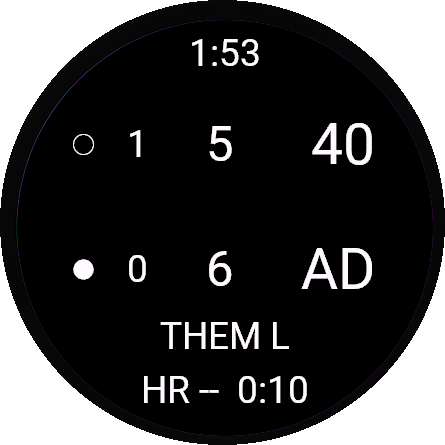
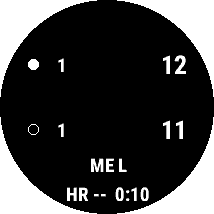
Screens from the Connect IQ simulator.
How it works
One set, best of three, best of three with a super tiebreak, or a point race. Choose the deuce rule and who serves first. Remate remembers it for next time.
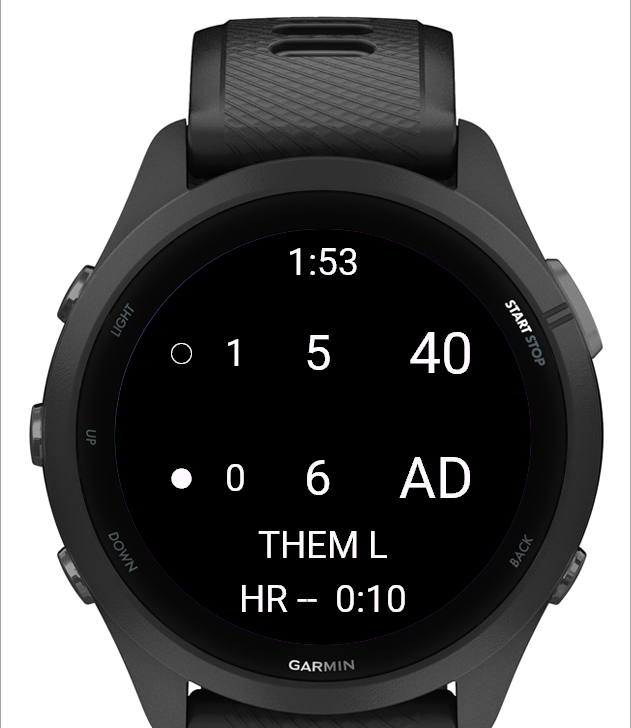
UP is a point for you, DOWN a point for them, BACK takes the last point back. Venu 3, Venu 3S, vívoactive 5 and vívoactive 6 have no UP and DOWN buttons: swipe up for a point to you, swipe down for a point to them. Touch watches can also tap the top or bottom half; switch tapping off in the app settings and the swipe still counts on those four.
Press START and choose Save. The match goes to Garmin Connect as a Padel activity, with your heart rate, the time and the score.
What it does
Advantage, golden point, silver point or star point. At 40–40 a yellow band tells you when the next point is the deciding one.
At 6–6 in games the match goes to a tiebreak to 7, win by two. In best of three with a super tiebreak, 1–1 in sets goes straight to a tiebreak to 10.
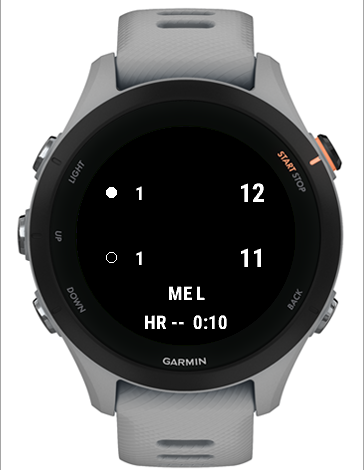
A dot marks the serving team. Under the score it says ME, PARTNER or THEM — and R or L for the side. It turns after every game, and every two points in a tiebreak. Tell it who serves first: you, your partner, or them — and if it is them, whether you or your partner serves next.
BACK takes the last point back, even across a game or a set, up to 60 points. The match is stored after every point, so “Resume match” picks it up after an interruption, with the rules the match was started with.
The saved activity has a lap per game, your heart rate and the time, and your sets and final score are written into the file. On firmware without a padel sport type it is saved as Tennis, named Padel.
Watches with UP and DOWN count with the buttons, so it fits watches without a touchscreen. The four with only two buttons count with a swipe, with or without tap scoring. A short buzz confirms each point and a long one marks a game, a set or the end — both can be switched off.
A closer look
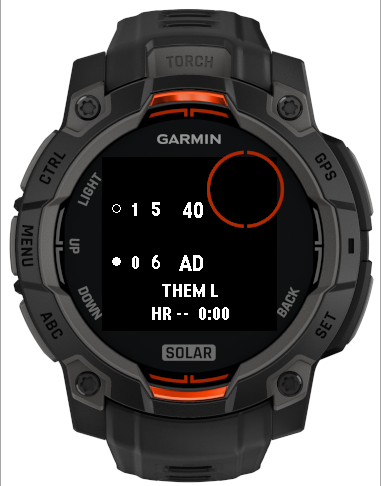
On the Instinct 3 Solar the numbers get smaller, the clock steps aside, and everything stays to the left of the sub-screen. The serving team is a filled dot, the other a hollow one — no colour needed.
In a super tiebreak the games column disappears and the points count to 10, win by two. The server and the side keep rotating, and the set is written into the score as [10–8].
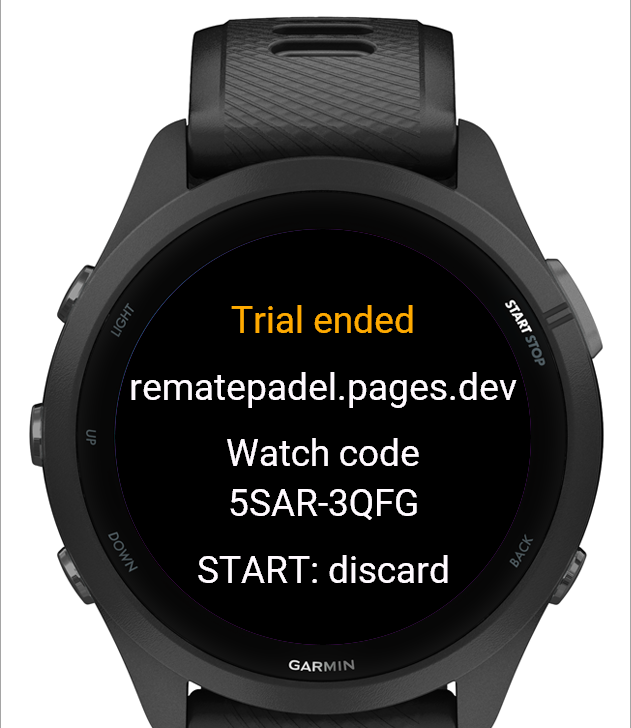
The app keeps counting. Saving the match asks for your unlock code, and the screen shows the watch code you need to get one. You do not have to wait for that: choose Unlock at the bottom of the start menu on any day to see how many days are left and your watch code. Without a code the match is not saved to Garmin Connect, and you can always discard it.
Price
Seven days with everything on. After that the counting stays free; saving matches to Garmin Connect and point-race mode need a one-time unlock code. No subscription, no account.
Price in US dollars, plus VAT or sales tax where it applies. Payments are handled by Paddle.
Trial and unlock
| First 7 days | After, no code | With code | |
|---|---|---|---|
| Count points — one set, best of three, best of three with super tiebreak | ✓ | ✓ | ✓ |
| All four deuce rules, serve and side, undo | ✓ | ✓ | ✓ |
| Point race (Americano / Mexicano rounds) | ✓ | — | ✓ |
| Save the match to Garmin Connect | ✓ | — | ✓ |
Watches
This is the list the Connect IQ Store uses; it does not offer Remate for watches that are not on it.
Questions
Buy the code on the pricing page and you get a licence key. Enter the key and your watch code on the unlock page and you get a 10-character unlock code. Type that into the Garmin Connect app under Connect IQ apps → Remate → Settings → Unlock code. The watch checks the code itself, without internet.
Open Remate and choose Unlock at the bottom of the start menu. It shows how many days are left (or “Trial ended”), the website and the “Watch code”, in the form XXXX-XXXX. It works from the first day, so you can buy and unlock during the trial. After the trial, choosing Save at the end of a match shows the same screen. The code only fits that watch.
No GPS and no internet while you play. The only time you need your phone is to type the unlock code once, in the Garmin Connect app.
Yes: a key unlocks up to three watches. Each watch has its own watch code and gets its own unlock code. The same watch asking again gets the same code, and does not use up a place.
The code belongs to the watch, so you type the same code again. If you cannot find your key, have it sent again.
Remate is built for doubles: four players, with the serve turning the way it does in padel. For Americano and Mexicano rounds there is a point race to 16, 21, 24 or 32 points; you handle the pairings yourself.
Then the Connect IQ Store will not offer it, and we cannot test it. Write to support and tell us which watch — we keep the list up to date.
Seven days to try everything. If you never buy, the counting stays yours.